Objects in Rulebricks
You've got a customer object with tier, credit_score, and lifetime_value. You'll use those fields in a dozen rules. Do you really want to type them out each time?
Objects are team-level schema definitions that provide field suggestions when you create rules or contexts. Define your data structure once, and every rule you build can pull from it.
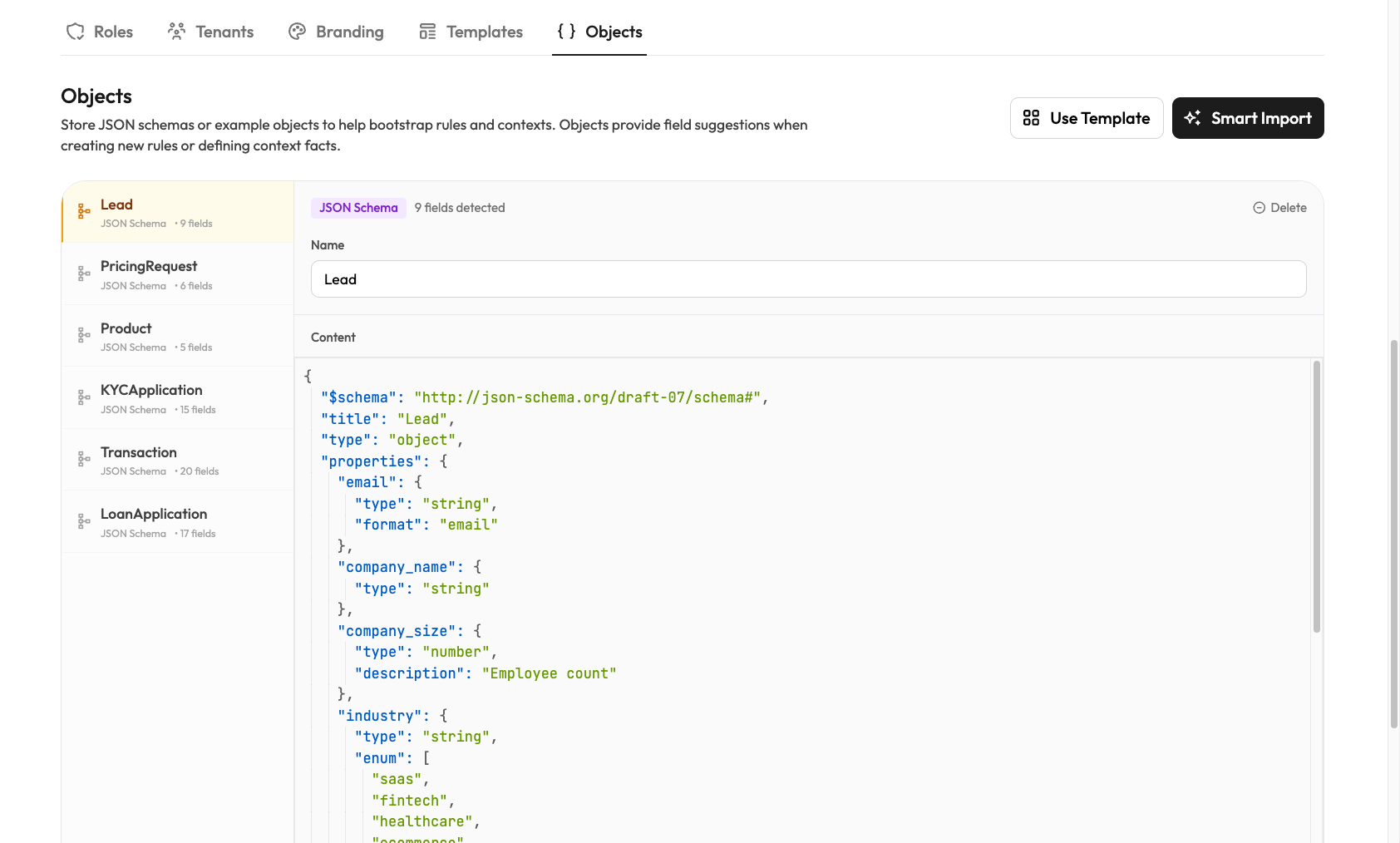
Rulebricks Admins can find this tab within the Team tab on your dashboard.
Data Clarity
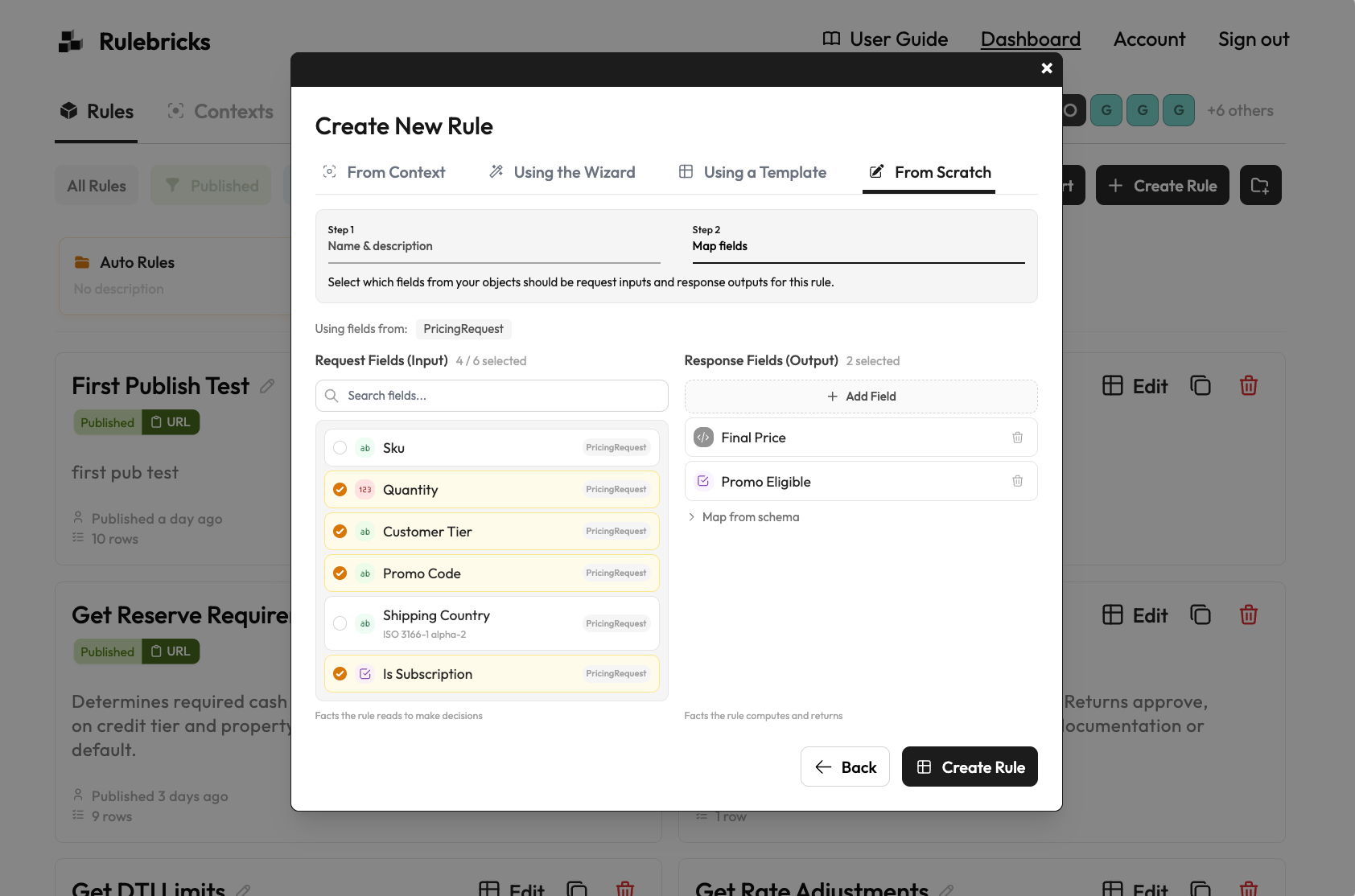
Field suggestions
When building a rule, select an Object and its fields appear in the schema editor. No retyping, no typos.
System-managed Dynamic Values
If your Object uses JSON Schema with enum fields, Rulebricks generates a managed value collection from each of them, which power dropdown options in your rule conditions.
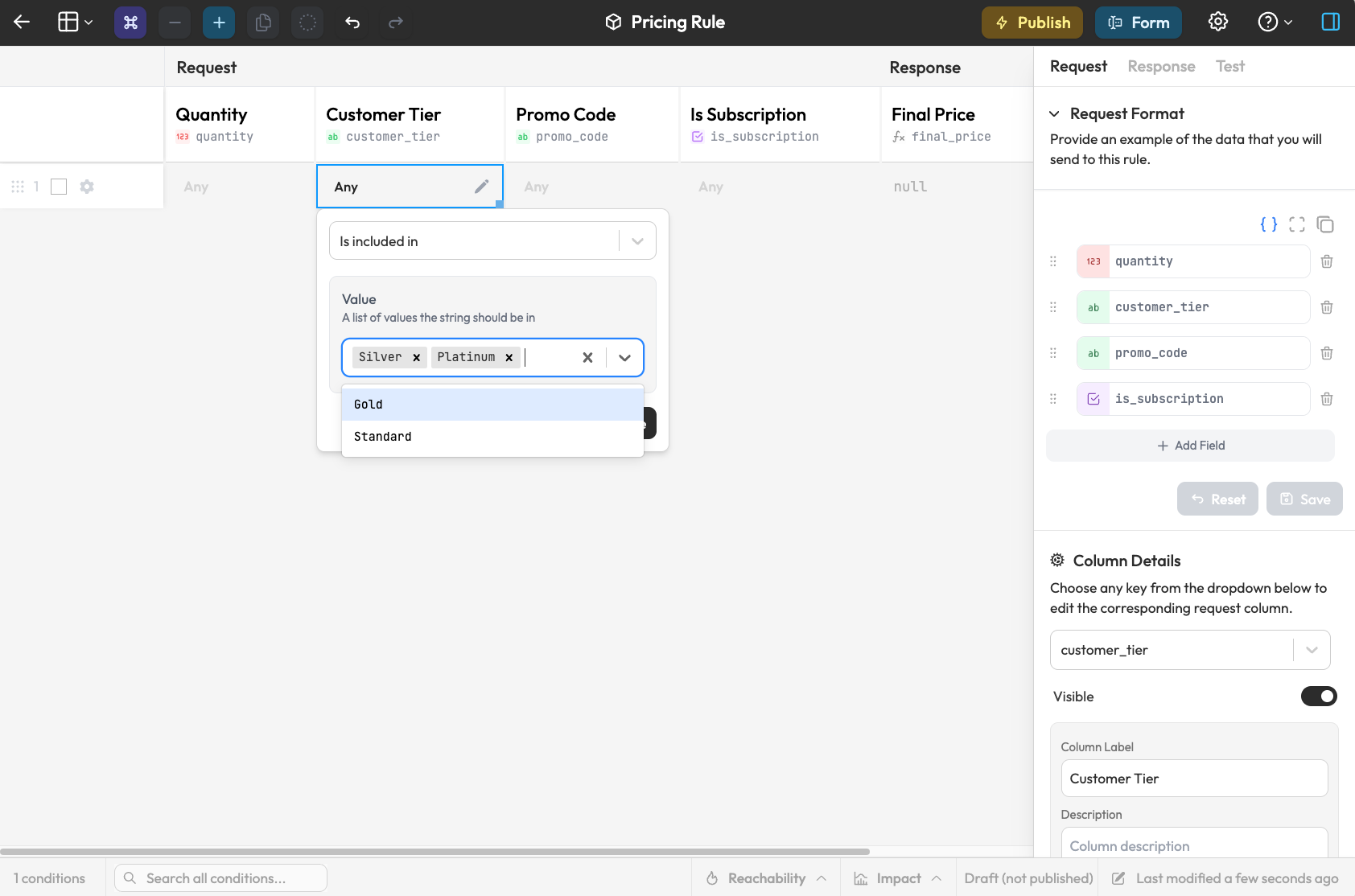
Managed values are locked projections of the object's schema. The object is their source of truth:
- They cannot be edited, deleted, moved, or renamed like ordinary values. The Vocabulary tab badges them as Object-managed.
- Updating the object's schema updates them: new enums create values, changed enums update in place, and removed enums archive their values. Archived values disappear from pickers immediately, while published rules that still reference them keep resolving forever. Re-adding an enum revives the same value, so rule references never break.
- Users with the manage objects entitlement can still edit a managed value directly from the Vocabulary tab. The edit writes back into the object's JSON Schema and re-syncs, so the object always stays authoritative.
- Visibility set on an object (user groups) propagates to every value it generates.
This turns one object into a single asset that administers many collections. Maintain the schema in the dashboard or by pushing it programmatically, and everything downstream follows.
Object management (creating, updating, and deleting objects, and editing the managed values they generate) requires the manage objects entitlement. Administrators and developers have it by default; editors do not, so business users always work against the latest vocabulary without being able to change it.
Consistency
When everyone builds rules from the same Objects, field names stay consistent across your workspace. This way, you'll never run into issues where rule one may have a schema like:
{
  "customer_id": "cust_12345",
  "order_total": 299.99,
  "is_priority": true
}
And rule two, designed elsewhere, uses:
{
  "customerId": "cust_12345",
  "total": 299.99,
  "priority": true
}
Accepted Formats
Objects can be defined using both JSON Schemas, or just an example JSON object. If you're planning to use our objects feature, it's worth noting using JSON Schemas has substantial benefits across our platform that may not be immediately obvious.
Even if you don't have a unified JSON schema anywhere, we make it really easy to make one using our "Smart Import" tool.
JSON Schema: Full schema definitions with types, validation rules, and enums
{
  "type": "object",
  "properties": {
    "customer_tier": {
      "type": "string",
      "enum": ["bronze", "silver", "gold", "platinum"]
    },
    "credit_score": {
      "type": "number",
      "minimum": 300,
      "maximum": 850
    }
  }
}
JSON Object: Plain example objects when you just want field suggestions without full validation
{
  "customer_id": "cust_12345",
  "order_total": 299.99,
  "is_priority": true
}
Rulebricks will automatically detect which format you're using.
Objects vs. Contexts
Two features that may initially appear somewhat similar on our platform are Objects and Contexts.
The Objects described here are designed for bringing the shape and fields of business objects that may live elsewhere into Rulebricks for consistency.
The Contexts feature, discussed later in this documentation, while able to create a view of your data relevant for decision making in a similar way, is designed exclusively for decisions where data arrives over time. Contexts are stateful and have lifespans associated with them.